3D Modeling Services Explained: A 2026 Guide for North American Manufacturers and Engineers
If you've ever needed a digital 3D version of a physical part, a building, a product idea, or an entire industrial facility, you've already brushed up against 3D modeling services. They're the connective tissue between an idea on paper and a part on the shop floor — the discipline that turns sketches, scans, photos, and old drawings into accurate three-dimensional digital models that engineers, manufacturers, and architects can actually build with.
This guide is written for engineers, project managers, designers, and procurement teams across Canada and the United States who are evaluating professional 3D modeling services in 2026. By the time you finish, you'll know what services exist, how they're priced, what software and file formats matter, what to expect from a good provider, and how to avoid the common pitfalls that waste budget and timeline.
3D modeling services are professional CAD design services in which trained engineers and designers convert ideas, sketches, scans, photos, or physical parts into accurate three-dimensional digital models. The resulting models are used for manufacturing, engineering analysis, visualization, BIM, prototyping, and digital twin applications. Common deliverables include parametric solid models (SolidWorks, Inventor, NX), surface models (Rhino, CATIA), mesh files (STL, OBJ), and BIM models (Revit, IFC). Pricing typically ranges from a few hundred dollars for a simple single-part model to tens of thousands for full BIM or digital twin projects.
What are 3D modeling services?
3D modeling services are professional engineering and design services that produce digital three-dimensional representations of objects, parts, products, buildings, or environments. The output of a 3D modeling service is almost always a CAD file — a structured digital model that downstream tools can read, modify, simulate, machine, or print.
The reason this is a service category rather than just "something a designer does at their desk" is that high-quality 3D modeling involves several specialized skills: understanding manufacturing tolerances, interpreting engineering drawings correctly, choosing the right modeling method for the intended use, capturing source data accurately when working from a physical object, and exporting deliverables in formats that the client's downstream workflow actually needs.
A modern 3D modeling services provider typically handles four kinds of input:
- Documentation input — engineering drawings, sketches, blueprints, hand-drawn concepts, photographs, or written specifications.
- Physical input — actual parts, components, machinery, buildings, terrain, or artifacts that need to be measured and digitized.
- Scan input — point clouds and meshes from blue light scanners, laser scanners, LiDAR units, structured-light scanners, or photogrammetry rigs.
- Legacy CAD input — outdated 2D drawings, old proprietary CAD files, or partially modeled assemblies that need to be rebuilt or modernized.
The output, on the other side, is a clean, accurate, parametric or mesh-based 3D model — sometimes accompanied by 2D manufacturing drawings, a bill of materials (BOM), an inspection report, or rendered images for marketing and presentations.
Why 3D modeling matters in 2026
Three things have changed about industrial work in the last few years that make professional 3D modeling more important than it has ever been.
First, almost every downstream tool now expects a 3D model as input. CNC machining, additive manufacturing, sheet metal nesting, finite element analysis, computational fluid dynamics, photorealistic rendering, AR/VR walkthroughs, robotic simulation, generative design — none of them work from a 2D drawing alone. If you don't have a clean 3D model, you can't access the modern toolchain.
Second, scan-to-CAD has gone mainstream. The cost of capturing a physical part as a high-resolution mesh has dropped dramatically, and the modeling skill required to convert that mesh back into a clean parametric CAD file is now in steady demand. Manufacturers with legacy tooling, replacement-parts businesses, and aftermarket suppliers all depend on this workflow.
Third, BIM has become standard practice in North American AEC. Many infrastructure tenders in Canada and the United States now require BIM deliverables, and the demand for scan-to-BIM — turning point clouds of existing buildings into intelligent Revit models — has grown sharply. This is no longer a niche.
The bottom line: a clean, accurate 3D model is the foundation of almost every modern engineering, manufacturing, or construction workflow. Outsourcing that work to a specialist is often the fastest, cheapest, and most reliable way to get it right.
Types of 3D modeling services
Not all 3D modeling is the same. Different applications require different modeling methods, different software, and different deliverables. Here are the main categories you'll encounter when shopping for 3D modeling services.
1. Parametric solid modeling
This is the workhorse of mechanical engineering. Parametric solid models are built from features — extrudes, revolves, sweeps, fillets, holes — that are linked through a feature tree. Change a dimension and the whole model updates. SolidWorks, Autodesk Inventor, Siemens NX, PTC Creo, and CATIA are the dominant tools. If your downstream use is CNC machining, sheet metal, plastic injection molding, or FEA simulation, you almost certainly want parametric solid modeling.
2. Surface modeling (NURBS)
When you need smooth, free-form, mathematically continuous surfaces — think automotive body panels, consumer product housings, marine hulls, aerospace fairings — you want NURBS surface modeling in tools like Rhino, Alias, or the surface modules of CATIA and NX. NURBS is also the right choice when Class A surface quality matters, such as visible product exteriors.
3. Mesh and polygon modeling
Mesh models are made of triangles or polygons rather than parametric features. They're the native output of 3D scanners and the input format for 3D printers. Mesh modeling is also dominant in animation, gaming, visualization, and medical imaging. Common tools include Blender, ZBrush, and Geomagic Wrap.
4. Scan-to-CAD modeling
Scan-to-CAD is a specialty: take a point cloud or mesh from a 3D scanner and rebuild it as a clean, editable parametric CAD model. It requires both scanning expertise and modeling expertise. Software includes Geomagic Design X, Ansys SpaceClaim, PolyWorks Modeler, and the SolidWorks ScanTo3D module. This is the workflow used for reverse engineering, legacy parts replacement, and obsolete tooling recovery.
5. 2D-to-3D CAD conversion
Converting old 2D drawings, blueprints, hand sketches, or scanned PDFs into modern 3D models. This is one of the most common requests for outsourced 3D modeling services in 2026, especially from manufacturers who have decades of legacy paper drawings. The challenge is interpretation: identifying datums, tolerances, and intent that the original draftsman assumed would be obvious.
6. BIM modeling
BIM (Building Information Modeling) is 3D modeling for buildings and infrastructure, but with a critical difference: the model contains data as well as geometry. Every wall, beam, pipe, duct, and fixture carries metadata — material, manufacturer, cost, schedule, lifecycle — that travels with the model from design to operation. Authored in Revit, exchanged as IFC, and increasingly required by both private and public sector projects in North America.
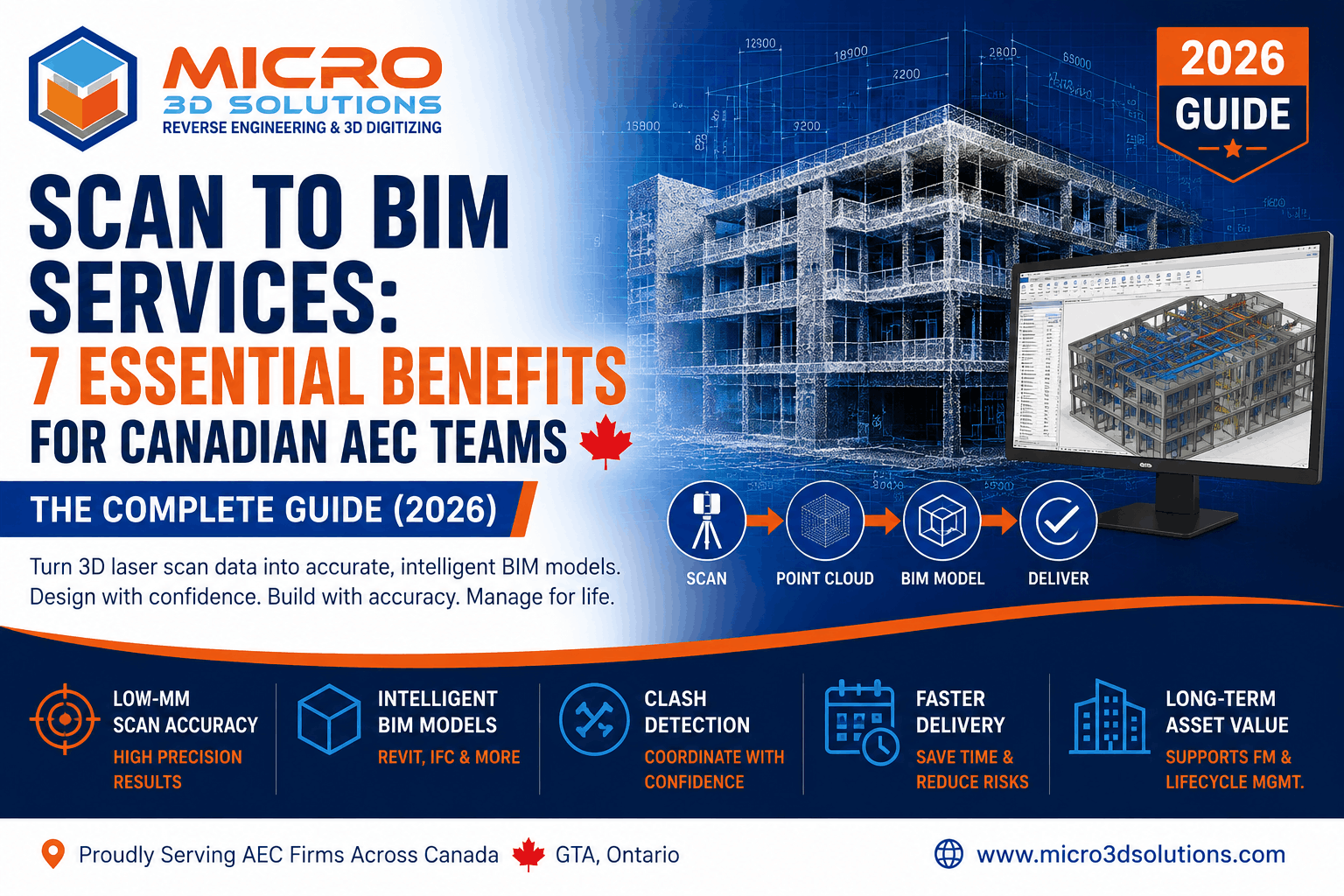
7. Scan-to-BIM
A close relative of scan-to-CAD, but for buildings: capture an existing building or facility with LiDAR or structured-light scanning, then model the result as a Revit BIM model. Used heavily in renovation projects, heritage restoration, plant retrofits, and as-built documentation.
8. Digital twin development
A digital twin is a 3D model of a physical asset that stays connected to live data — sensor readings, operational metrics, maintenance history. Digital twin services usually combine scan-based modeling, BIM-style data structuring, and integration with IoT or operations platforms. Used in heavy industry, energy, manufacturing facilities, and large infrastructure.
9. Reverse engineering modeling
The full reverse engineering workflow: scan or measure an existing part, model it as parametric CAD, generate manufacturing drawings, and produce a complete documentation package — often including a bill of materials and tolerance specifications. Common in oil and gas, marine, aerospace, and any industry with old or unsupported equipment.
10. Photogrammetry-based modeling
Photogrammetry uses overlapping photographs to reconstruct 3D geometry. It's lower-cost than laser scanning but generally lower-accuracy. Useful for visualization, AR, heritage documentation, and any project where dimensional precision is secondary to visual fidelity.
3D modeling vs 3D scanning vs 3D printing
These three terms are often used interchangeably by people outside the industry, but they describe three different things. The clearest way to think about them is as three steps in a possible workflow: scanning captures a physical object, modeling turns that capture into a usable digital file, and printing produces a new physical object from that file.
| Discipline | What it does | Input | Output | Typical use |
|---|---|---|---|---|
| 3D scanning | Captures a physical object as digital data | A real-world part or environment | Point cloud or mesh | Inspection, reverse engineering, as-built capture |
| 3D modeling | Builds or refines a digital 3D model | Drawings, scans, sketches, specifications | Parametric CAD, surface model, BIM model, mesh | Design, manufacturing prep, BIM, simulation |
| 3D printing | Produces a physical part from a digital file | STL, OBJ, or 3MF mesh file | A physical printed part | Prototyping, low-volume production, custom tooling |
You can do any one of these without the others. You can scan a part without modeling or printing. You can model from scratch without scanning. You can print directly from a downloaded model without modeling anything yourself. But in industrial workflows, the three are often combined, and a competent 3D modeling services provider usually has direct or partner capability across all three.
Industries that use 3D modeling services
Almost every industry that builds, repairs, designs, or operates physical things uses 3D modeling. The depth of demand varies, but the breadth is striking. Here are the major sectors that account for most professional 3D modeling work in North America.
Manufacturing
The largest single buyer of 3D modeling services. Manufacturers need 3D models for new product design, replacement parts, tooling, fixtures, jigs, packaging, and inspection. Scan-to-CAD and 2D-to-3D conversion are particularly heavy use cases, often driven by legacy product lines or acquired tooling without digital documentation.
Architecture, engineering, and construction (AEC)
BIM dominates this sector. New construction projects require BIM deliverables for coordination, clash detection, schedule integration, and cost control. Renovation and retrofit projects rely on scan-to-BIM to capture existing conditions accurately. Heritage restoration uses high-resolution scanning combined with detailed Revit modeling.
Aerospace and defense
High-tolerance parametric modeling, often combined with metrology-grade scanning. Aerospace work demands rigorous documentation, traceability, and adherence to standards like AS9100. Reverse engineering of legacy aircraft components is a steady source of demand, particularly for older fleets that remain in service.
Automotive
NURBS surface modeling for body panels and interior surfaces; parametric solid modeling for chassis, powertrain, and structural components; mesh and visualization modeling for marketing and AR/VR. The automotive aftermarket also drives significant demand for reverse engineering and replacement parts modeling.
Oil and gas, energy, and marine
Plant scanning and modeling is a major sub-discipline here. Refineries, offshore platforms, pipelines, and shipyards use 3D laser scanning combined with intelligent 3D modeling to document existing assets, plan retrofits, and feed digital twin systems. Underwater scanning — a specialty capability — is used for hull inspection and subsea infrastructure.
Heritage, restoration, and museums
High-resolution scanning paired with detailed mesh and surface modeling. Used for restoration documentation, replica fabrication, virtual museums, and academic research. Often combines blue light scanning of small artifacts with LiDAR for entire structures.
Medical devices and healthcare
Custom prosthetics, surgical guides, dental appliances, orthopedic implants, and anatomical models all rely on 3D modeling, frequently sourced from CT or MRI data. Tolerance and biocompatibility documentation are critical.
Consumer products and industrial design
From household appliances to outdoor equipment, consumer product design relies on a mix of NURBS surface modeling, parametric mechanical modeling, and high-fidelity rendering. 3D modeling services support design firms, brands, and manufacturers across the full product development lifecycle.
The 3D modeling process step by step
Although every project has its own quirks, professional 3D modeling services almost always follow the same five-step workflow. Understanding it helps you brief providers more clearly and review their work more confidently.
Step 1: Discovery and requirements
The first conversation should establish what the model is for, what tolerances and features matter most, what software and file format the client needs, what reference data exists, and what the deliverables are. Skipping this step is the single most common cause of rework and disputes. A good provider will ask probing questions; a poor one will quote a price before they understand the job.
Step 2: Data capture
If the model has to match a physical object, this is where scanning, photography, manual measurement, or drawing review happens. The quality of the capture sets the ceiling for the quality of the final model — you cannot produce a 0.05 mm model from a 2 mm capture. For drawing-based projects, this step is about gathering all the source documents and confirming any missing dimensions or interpretations.
Step 3: Modeling
The actual CAD or BIM work. For parametric modeling, this means building a clean, well-organized feature tree that matches design intent and supports future edits. For scan-to-CAD, it means surface fitting, feature extraction, and dimensional alignment. For BIM, it means modeling at the appropriate Level of Development (LOD 100 to LOD 500), with the right metadata structure. Good modeling is not just about geometry — it's about producing a model that will be usable for the intended downstream task.
Step 4: Quality check and validation
The provider verifies the model against the source data and the project specification. For scan-based work, this often means a deviation analysis — comparing the model back to the original scan and producing a color-mapped report showing how closely they match. For drawing-based work, it means a peer review against the original prints. For BIM, it means clash detection and parameter validation.
Step 5: Delivery and revisions
Final files are exported in the agreed formats, supporting documentation is packaged (drawings, BOM, inspection reports), and the model is handed over. Most professional providers include one or two rounds of revisions in their fixed price; substantial scope changes are billed separately. A well-defined revision policy upfront prevents friction later.
.jpg)
Software and file formats
You don't need to memorize every CAD package on the market, but you should understand which tools your provider uses and whether the deliverables they produce will work for you.
Common software in 2026
| Category | Tools | Strength |
|---|---|---|
| Mechanical CAD | SolidWorks, Inventor, NX, Creo, CATIA, Fusion 360 | Parametric modeling, drawings, FEA prep |
| Surface / industrial design | Rhino, Alias, Solid Edge surfacing | NURBS, free-form Class A surfaces |
| Scan-to-CAD | Geomagic Design X, Ansys SpaceClaim, PolyWorks Modeler | Mesh-to-parametric conversion |
| BIM | Revit, Navisworks, ArchiCAD, Tekla | Data-rich building models, IFC exchange |
| Mesh / visualization | Blender, ZBrush, Geomagic Wrap | Polygon modeling, sculpting, rendering |
| Point cloud processing | Cyclone, Faro Scene, ReCap, RealWorks | Registering and cleaning scan data |
File formats you'll likely receive
For mechanical 3D modeling, the most universal exchange formats are STEP (.stp) and IGES (.igs) — both widely supported across virtually all CAD packages. Parasolid (.x_t) preserves more native feature information and is used between SolidWorks, NX, and other Parasolid-based systems. Native files (.sldprt, .ipt, .prt, .catpart) preserve the full feature tree but require the matching software to open.
For mesh and 3D printing, you'll see STL, OBJ, PLY, and 3MF. STL is the universal default, but it strips color and texture information. 3MF is a more modern format that preserves material and color data.
For BIM, deliverables are usually Revit (.rvt) for native files and IFC for vendor-neutral exchange. NWD/NWC files come from Navisworks for coordination and clash detection.
For 2D drawings derived from 3D models, expect DWG, DXF, and PDF.
How much do 3D modeling services cost?
This is the question every buyer asks first, and the honest answer is: it depends. But you can build a reasonable estimate by understanding what drives cost and where typical projects land.
What drives cost
- Complexity of the geometry. A simple bracket is hours; a complex assembly with hundreds of parts is weeks.
- Quality and completeness of the source data. A clean dimensioned drawing is fast. A blurry photo with missing dimensions requires interpretation, assumptions, and review cycles.
- Required tolerance and accuracy. A visualization model and a manufacturing model of the same part can differ in price by an order of magnitude.
- Required deliverables. A 3D model alone is one price. A 3D model plus 2D manufacturing drawings, plus a BOM, plus an inspection report, is several times more.
- Number of revision rounds. Two rounds is typical and usually included; five rounds is rework and usually billed.
- Turnaround time. Standard turnaround is one price; rush work is typically 25 to 100 percent more.
- Confidentiality and security requirements. NDA work, ITAR-controlled work, or work requiring isolated infrastructure carries a premium.
Typical pricing ranges in 2026
These are general North American market ranges for professional 3D modeling services, in US dollars. Canadian providers often quote in CAD at similar nominal numbers (CAD prices may be slightly lower in real terms).
| Project type | Typical range | Typical turnaround |
|---|---|---|
| Simple single-part 3D model from drawing | $150 – $600 | 1 – 3 days |
| Medium-complexity part (50 – 200 features) | $500 – $2,000 | 3 – 7 days |
| Small assembly (5 – 25 parts) | $1,500 – $6,000 | 1 – 3 weeks |
| Scan-to-CAD reverse engineering (single part) | $800 – $5,000 | 1 – 3 weeks |
| Complex assembly or product (50+ parts) | $5,000 – $25,000+ | 3 – 8 weeks |
| BIM model, small commercial building | $8,000 – $30,000 | 4 – 10 weeks |
| Plant-scale scan-to-BIM | $25,000 – $200,000+ | 8 – 24 weeks |
| Hourly rate (most professional firms) | $50 – $150 per hour | — |
These are not quotes — they're orientation. A serious provider will give you a fixed-price quote after a discovery call and a review of your source material.
In-house vs outsourcing 3D modeling
One of the recurring questions for engineering and manufacturing leaders is whether to build internal 3D modeling capability or to outsource. There's no universal answer, but there's a clear decision framework.
Build in-house when
- You have steady, predictable, year-round demand for the same kind of modeling work.
- The work is tightly coupled to proprietary product knowledge that's hard to transfer.
- Your IP sensitivity makes external workflows risky even with strong NDAs.
- You need same-hour responsiveness — modeling work that interrupts the engineering team's day many times.
Outsource when
- Demand is variable or project-based.
- You need specialty capability — scan-to-CAD, BIM, underwater scanning, photogrammetry — that doesn't justify an internal hire.
- You need to scale up quickly for a one-time project (a major plant retrofit, a heritage scan, a product line acquisition).
- You want a second set of expert eyes on legacy drawings or scan data.
- You don't yet know whether the demand is permanent — outsourcing first lets you measure before committing.
In practice, most successful organizations use a hybrid: internal teams handle steady, IP-sensitive, day-to-day work, and a trusted external 3D modeling services partner handles overflow, specialty work, and one-off projects.
How to choose a 3D modeling services provider
Selecting a provider is mostly a process of elimination. Use the following criteria to narrow a long list down to two or three real candidates, then ask each one for a sample project or a paid pilot.
Industry experience
Ask for project examples in your industry. A provider who has modeled hundreds of injection-molded consumer products may not be the right choice for a refinery scan-to-BIM project, and vice versa. Look for relevant experience, not just nominal capability.
Software and method coverage
Confirm they use the software your downstream workflow needs. If your team is on SolidWorks, a provider working only in Inventor will create friction even if their STEP exports are clean. For BIM, confirm Revit version compatibility and IFC support.
Tolerance and accuracy methodology
For any project where dimensional accuracy matters, ask the provider how they verify it. Good answers include deviation analysis against scan data, GD&T-aware modeling, traceable calibration of measurement equipment, and documented inspection procedures. Vague answers are a warning sign.
Communication and project management
Modeling work is iterative. The provider's responsiveness, time-zone alignment, English (and ideally French in Canada) communication quality, and use of clear project management practices have a real impact on project outcomes. A provider who responds in hours is much easier to work with than one who responds in days.
Quality assurance process
Ask how they catch errors before delivery. The right answers involve internal peer review, automated checks (interferences, missing references, broken constraints), validation against source data, and a documented sign-off step. The wrong answer is "our modelers are very experienced."
Confidentiality and IP protection
NDAs should be standard. For sensitive work, ask about access controls, data handling, deletion policies, and whether subcontracting happens. For any export-controlled work in the United States, confirm ITAR compliance.
Geographic presence and time zone
For Canadian and US clients, working with a North American provider has clear advantages: shared business hours, easier site visits when needed, and simpler legal jurisdiction for contracts and IP. Offshore providers can be cost-effective, but the coordination overhead is real.
Sample work and references
Before signing a significant engagement, ask for one or two reference clients you can speak with. Most reputable providers will arrange this. The conversation will tell you more than any portfolio page.
Quality, accuracy, and standards
Professional 3D modeling work intersects with several formal standards. Whether your project requires explicit compliance depends on the industry and end use, but knowing the standards helps you write a tighter brief and evaluate provider responses.
- ASME Y14.5 (GD&T) — the geometric dimensioning and tolerancing standard used widely in North American manufacturing. Your CAD model and drawings should be GD&T-aware if your manufacturing process depends on it.
- ISO 10303 (STEP) — the international standard for product data exchange, the backbone of the STEP file format.
- ISO 9001 — general quality management system certification. Many serious modeling providers maintain ISO 9001.
- ISO 17025 — calibration and testing laboratory accreditation, relevant where metrology and dimensional inspection are part of the deliverable.
- AS9100 — aerospace quality management; necessary for many aerospace and defense projects.
- BIM standards — ISO 19650 governs BIM information management; in Canada, the National BIM Standard and CanBIM resources are relevant; in the US, NBIMS-US sets the framework.
For accuracy, the meaningful question is always traceability: can the provider tell you exactly how the model relates to a measurement, and what the uncertainty is? A model is only as accurate as the chain from physical reference, to capture, to processing, to delivered file. A good provider documents that chain.
Common pitfalls and how to avoid them
Most 3D modeling projects that go wrong fail in predictable ways. Here are the patterns to watch for.
Pitfall 1: Treating mesh files as parametric
STL and OBJ files are dumb meshes — they have no features, no editable history, and very limited tolerance fidelity. If you'll need to modify the model later, ask for a parametric solid model, not a mesh, even if the source was a 3D scan.
Pitfall 2: Skipping the discovery conversation
The cheapest hour spent on any 3D modeling project is the first hour, where you and the provider align on intent, tolerances, file formats, and acceptance criteria. Trying to save that hour costs you several rounds of revisions later.
Pitfall 3: Selecting on price alone
The lowest quote is rarely the cheapest project. Hidden costs come from rework, missed tolerances, file format problems, and slow communication. Pay attention to total cost of ownership, not the headline number.
Pitfall 4: Providing low-quality source data
If you give a provider a blurry phone photo and a hand sketch, the resulting model will reflect that. If the project matters, invest in good source data: a proper 3D scan, properly dimensioned drawings, or detailed specifications. Garbage in, garbage out applies fully.
Pitfall 5: Underspecifying tolerances
"Make it accurate" is not a specification. State the actual tolerance you need, on the features that matter. A provider working blind will guess, and the guess may be tighter (more expensive) or looser (less usable) than what you actually needed.
Pitfall 6: Ignoring downstream use
A model built for visualization is not a model built for CNC machining. A model built for CNC machining is not a model built for FEA. Tell the provider what the downstream use is. They will model differently for each.
Trends shaping 3D modeling in 2026
The field has moved quickly in the last few years, and several trends are visibly reshaping how 3D modeling services are delivered in 2026.
AI-assisted feature recognition
Mesh-to-CAD tools have integrated machine learning for automatic feature recognition — fitting cylinders, planes, fillets, and threaded holes to scan data far faster than manual fitting. This shortens scan-to-CAD timelines, but a human modeler is still needed to validate intent and clean up edge cases. Expect this to compress prices on routine reverse engineering work.
Generative design and topology optimization
Increasingly, designers ask the modeling tool to generate the optimal geometry given a set of loads, constraints, and manufacturing methods. The output is usually an organic, mesh-like form that requires careful conversion to manufacturable parametric geometry — a task that 3D modeling services are increasingly asked to handle.
Cloud-based collaboration
Tools like Onshape, Fusion 360 cloud workspaces, and Revit-on-the-cloud have made it easier for distributed teams to work on the same model in near-real time. For outsourced 3D modeling services, this reduces the friction of file exchange and version control.
Real-time scan-to-model pipelines
Newer scanning hardware streams point clouds directly into modeling software, with progressive surface fitting happening as the scan continues. This collapses the boundary between capture and modeling and is starting to change how on-site modeling work is delivered.
Stronger demand for digital twin and BIM
Both private and public sector buyers in Canada and the United States are mandating BIM deliverables on more projects, and operations teams are increasingly demanding digital twin capabilities for industrial assets. This is sustaining strong demand for scan-to-BIM and intelligent 3D modeling at the facility scale.
Tightening data security expectations
With more remote engagements and more sensitive industrial data flowing between client and provider, expectations around access controls, data handling, and deletion are rising. Providers who can document a real security posture have an advantage on enterprise work.
The North American market: Canada and the USA
For buyers based in Canada or the United States, working with a North American 3D modeling services provider carries practical advantages — and a few specifics worth knowing.
Time zones and business hours
Eastern, Central, Mountain, and Pacific time zones overlap enough that a US client and a Canadian provider (or vice versa) can almost always have a real-time call within standard business hours. This is a meaningful productivity advantage compared to working with offshore providers across 10+ hour gaps.
Units of measurement
Both metric and imperial are in active use across North America. Aerospace, defense, automotive, and consumer products in the United States often use imperial; manufacturing, AEC, and most Canadian industries use metric. Always specify units in the project brief, and confirm that drawings and dimensions match. A good provider should support both fluently.
Currency and pricing
Canadian providers may quote in CAD or USD; US providers almost always quote in USD. Canadian buyers should account for the exchange rate when comparing US-based and Canadian-based providers. Canadian providers can be a good value for US buyers when the exchange rate is favorable.
Data privacy and IP
Canadian providers operate under PIPEDA (Personal Information Protection and Electronic Documents Act) and provincial privacy regimes (Quebec's Law 25 is particularly strict). US providers operate under sector-specific frameworks (HIPAA, ITAR, EAR, sectoral state laws like CCPA). Cross-border data transfer is generally simple between Canada and the United States, but for ITAR-controlled work, the provider must be a US person or an approved entity.
Tariffs and contracts
Service work — including 3D modeling deliverables exchanged digitally — is generally not subject to tariffs across the Canada-US border. Physical deliverables (printed parts, scanned artifacts shipped back) may be. Standard contract law in both jurisdictions handles digital service engagements well; major projects benefit from a written master services agreement.
Local presence for site work
For on-site scanning, metrology, BIM data capture, or any work involving physical access to facilities, geographic proximity matters. A provider in Ontario can mobilize across Toronto, the GTA, and most of southern Ontario at low cost; reaching western Canada or the southern US adds travel cost and lead time. For US clients on the eastern seaboard or in the Great Lakes region, an Ontario-based provider can be more practical than a provider on the US west coast.
Frequently asked questions
What is the difference between 3D modeling and 3D scanning?
3D scanning captures a physical object as digital data — usually a point cloud or mesh. 3D modeling builds or refines a 3D digital model, often using scan data as input but also working from drawings, sketches, photographs, or specifications. Scanning is the capture step; modeling is the construction step. Many 3D modeling projects do not involve scanning at all, and many scanning projects do not produce a CAD model — though the two are often combined in reverse engineering and as-built documentation work.
How much do 3D modeling services cost in Canada and the USA?
Project pricing typically ranges from a few hundred dollars for a simple single-part model to several thousand dollars for complex assemblies, scan-to-CAD work, or full BIM models. Hourly rates from professional firms in Canada and the United States generally fall between USD 50 and USD 150 per hour depending on complexity, software, and accuracy requirements. Most well-defined projects are quoted at fixed price after a discovery call.
How long does a typical 3D modeling project take?
A simple single-part 3D model can be delivered in 1 to 3 business days. Medium-complexity assemblies or scan-to-CAD projects usually take 1 to 2 weeks. Large assemblies, full BIM models, and digital twin projects can take 3 to 8 weeks or more depending on data quality, change rounds, and validation requirements. Rush turnaround is usually available for an additional fee.
What software do professional 3D modeling services use?
Professional providers typically use SolidWorks, Autodesk Inventor, Siemens NX, PTC Creo, CATIA, and Fusion 360 for mechanical CAD; Revit and Navisworks for BIM; Rhino and Blender for surface and visualization work; Geomagic Design X, PolyWorks, or Ansys SpaceClaim for scan-to-CAD; and various scan registration tools (Cyclone, RealWorks, Faro Scene) for point cloud processing.
Can you create a 3D model from a 2D drawing or sketch?
Yes. 2D-to-3D CAD conversion is one of the most common 3D modeling services. Drawings, blueprints, hand sketches, scanned PDFs, and even legacy paper drawings can be rebuilt as parametric 3D models suitable for manufacturing, simulation, or downstream design changes. This service is particularly valuable for manufacturers with legacy product lines that were never digitized.
What file formats can I receive for my 3D model?
Standard deliverables include STEP (.stp), IGES (.igs), and Parasolid (.x_t) for universal CAD exchange; native files like SolidWorks (.sldprt), Inventor (.ipt), and Revit (.rvt); mesh formats including STL, OBJ, and PLY for 3D printing or visualization; and BIM exchange formats including IFC. 2D drawings derived from the 3D model are typically delivered as DWG, DXF, or PDF.
How accurate are professional 3D models?
Accuracy depends on the input data and the modeling method. Parametric models built from drawings or specifications carry the tolerances defined in the source. Scan-based models can typically achieve 0.05 mm to 0.5 mm dimensional accuracy with metrology-grade scanners (blue light, structured light, laser tracker). The provider should document the accuracy methodology, the equipment used, and the traceability of the measurement chain.
Are 3D modeling services available across Canada and the USA?
Yes. Most professional 3D modeling firms support remote engagements across all of North America, with deliverables exchanged digitally. On-site work — such as 3D scanning, dimensional inspection, or BIM data capture — is typically arranged regionally based on the provider's location. A North American provider has practical advantages over offshore providers in time zone, communication, and contract jurisdiction.
Can you create a 3D model of a physical object?
Yes. Using 3D scanning technologies such as blue light scanning, structured-light scanning, LiDAR, or laser tracking, a physical object is captured as a point cloud or mesh, then reverse-engineered into a parametric 3D model. This process is called scan-to-CAD. It is widely used for legacy parts, obsolete tooling, replacement components, heritage objects, and any case where the only available reference is the physical object itself.
What is the difference between BIM modeling and 3D modeling?
3D modeling is a broad term covering any digital three-dimensional representation. BIM (Building Information Modeling) is a specialized form of 3D modeling for the architecture, engineering, and construction industry, where the model also contains structured data about every element — materials, schedules, costs, and lifecycle information — usually authored in Revit and exchanged as IFC. All BIM models are 3D models, but not all 3D models are BIM models.
Do I need to provide my own measurements, or can the provider capture them?
Either works. If you have accurate engineering drawings or specifications, the provider can build the model from your data alone. If you only have a physical part and no drawings, the provider can scan or measure it on site or in their facility, then model from the captured data. The right approach depends on the source data you have and the accuracy you need.
What industries does Micro 3D Solutions serve?
Micro 3D Solutions provides 3D modeling, scanning, and engineering services to manufacturing, aerospace, oil and gas, marine, AEC, and heritage clients across Ontario, the rest of Canada, and the United States. Specialty capabilities include blue light scanning, LiDAR, laser tracking, underwater scanning, scan-to-CAD, scan-to-BIM, and parametric 3D CAD modeling.
Need professional 3D modeling services?
Micro 3D Solutions delivers parametric 3D CAD modeling, scan-to-CAD, BIM modeling, and reverse engineering for clients across Canada and the United States. Get a project quote within one business day.
Request a Quote